You finish writing an article.
You run it through Grammarly.
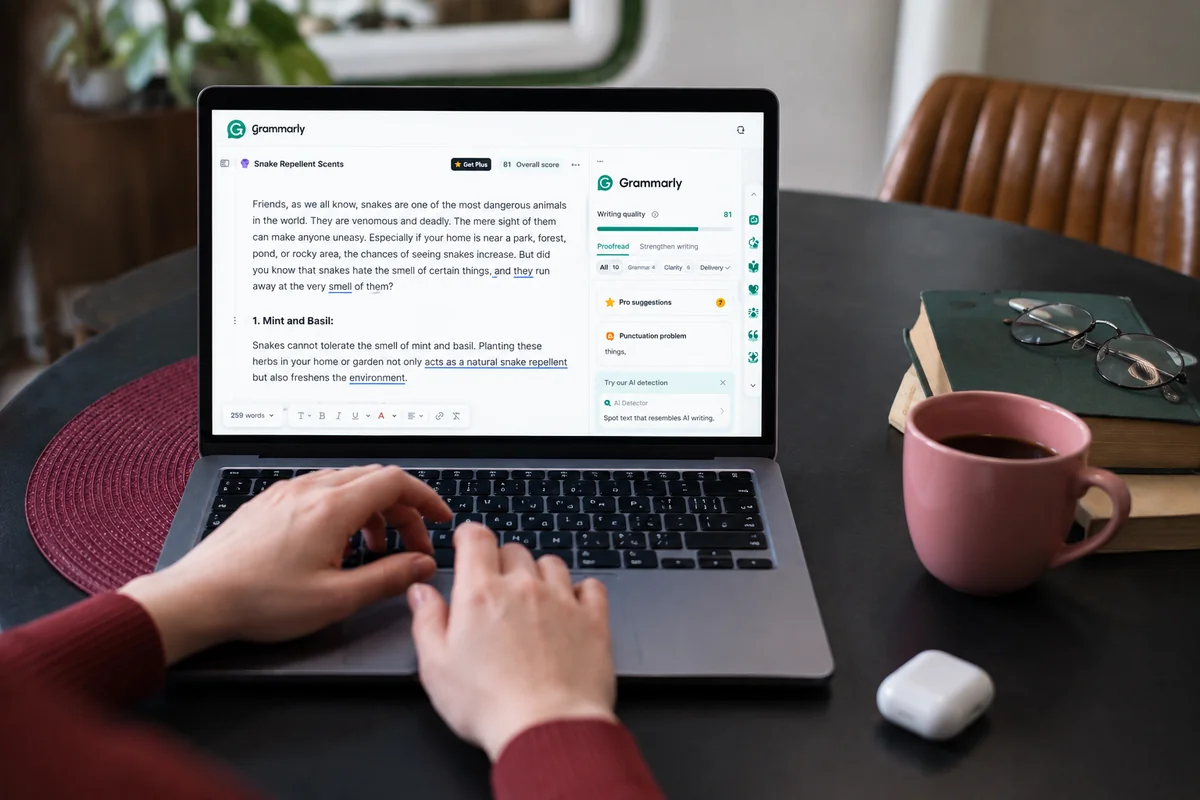
A few seconds later, you have a list of suggestions.
A sentence is too long.
A word could be replaced.
The tone could be more confident.
There’s a punctuation issue.
You fix everything.
The article looks cleaner.
But is it actually better?
That’s where things get interesting.
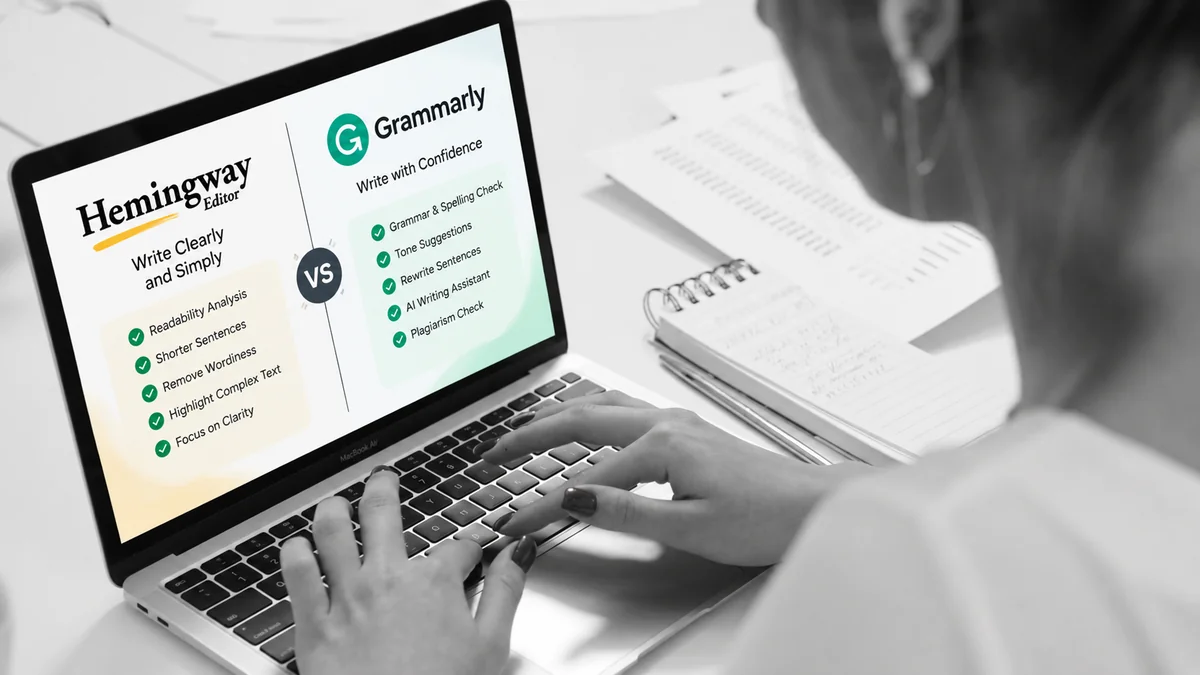
Grammarly can catch many problems that writers miss. It can flag grammar, spelling, punctuation, wordiness, style, tone, and other issues. Its current AI features can also rewrite sentences, adjust tone, help brainstorm, and assist with drafting. (Grammarly Support)
But there’s a difference between correcting writing and understanding writing.
And that’s why I don’t think Grammarly can replace a good human editor.
At least, not completely.
What Grammarly Does Really Well
Let’s start with what the tool actually does well.
Because there’s no point pretending that human editing is always better at everything.
It isn’t.
Grammarly is extremely useful for catching small problems.
You may write hundreds or thousands of words without noticing a missing comma.
You may accidentally use the wrong word.
You may repeat a phrase several times.
You may write a sentence that’s technically correct but unnecessarily complicated.
Grammarly can help identify many of these issues as you write.
Its current writing assistance includes feedback on grammar, spelling, punctuation, clarity, word choice, tone, and style. (Grammarly Support)
That’s useful.
Especially when you’re working quickly.
A Simple Example
Imagine you write:
The writer should make sure that they are able to explain the topic in a way that is easy for the reader to understand.
Nothing is seriously wrong with this sentence.
But it’s unnecessarily long.
You could simply write:
The writer should explain the topic clearly.
A writing tool may help you notice the problem.
But there’s something more important here.
You need to learn to notice it yourself.
That’s where human judgment becomes important.
A tool can suggest a change.
A writer needs to understand why the change improves the sentence.
Grammarly Is a Tool, Not Your Writing Brain
This is where I think writers sometimes misunderstand tools like Grammarly.
They see a green or highlighted suggestion and assume:
“Grammarly says I should change this, so I should change it.”
No.
A suggestion is a suggestion.
You can accept it.
You can reject it.
You can think about it.
You can rewrite the sentence yourself.
Grammarly itself explains that its suggestions are designed to help writers make informed decisions about changes rather than simply correcting everything automatically. (Grammarly Support)
That distinction matters.
Because sometimes the tool is wrong for your particular sentence.
A Grammatically Correct Sentence Can Still Be Bad
This is probably the biggest limitation of automated writing tools.
Grammar isn’t the same as good writing.
Consider this:
The implementation of an effective content strategy is something that businesses should consider if they want to achieve improved results from their digital marketing activities.
There may not be an obvious grammar problem.
But it’s awful.
A human editor might rewrite it as:
A good content strategy can make your digital marketing more effective.
The second sentence is shorter.
It’s clearer.
It sounds more natural.
And it gets to the point.
The problem wasn’t grammar.
It was writing judgment.
Grammarly Can See the Sentence
A Human Can See the Article
This is where the difference becomes more obvious.
A tool can examine the words around a sentence.
A human editor can ask bigger questions.
Why is this sentence here?
Does this paragraph belong here?
Is the argument convincing?
Does the introduction actually lead into the article?
Have we repeated this point three times?
Is this example useful?
Does the article sound like the intended audience?
Is the writer trying too hard?
Those questions go beyond grammar.
They involve context.
Purpose.
Audience.
Experience.
Judgment.
That’s what a good editor brings to the table.
Think About an Introduction
Suppose you’re writing an article about freelance writing.
Your introduction says:
Freelance writing is an excellent career option for people who enjoy writing and want to work independently.
Grammatically, that’s fine.
Grammarly may have very little to complain about.
But a human editor might say:
This is generic.
And they would be right.
A stronger opening might be:
You don’t need an office to build a writing career.
But you do need clients.
Now we’re getting somewhere.
The problem wasn’t grammar.
The problem was engagement.
That’s something a writer needs to learn.
Grammarly Can Help With Tone
This is one area where modern writing tools have become more useful.
Grammarly’s tone features analyze word choice, phrasing, punctuation, and capitalization to estimate how a message may come across. It can also suggest ways to adjust the tone. (Grammarly)
That can be helpful when writing:
- Client emails
- Proposals
- Professional messages
- Business content
- Social media posts
- Workplace communication
For example, you might write:
Send me the information as soon as possible.
Depending on the situation, that could sound demanding.
You might actually mean:
Could you please send me the information when you get a chance?
The tool can help you think about tone.
But again, context matters.
A message to a close colleague doesn’t need the same tone as a message to a new client.
A tool can suggest tone. You decide what the relationship requires.
The AI Side Changes the Question
Grammarly isn’t just a grammar checker anymore.
Its current product includes AI writing assistance for brainstorming, drafting, rewriting, tone adjustment, and other tasks. Its newer writing environment also includes features such as AI Chat, Reader Reactions, Humanizer, and other AI-assisted writing tools. (Grammarly)
That makes the comparison more interesting.
We’re no longer asking:
Can Grammarly fix my grammar?
We’re asking:
How much of the writing process should I hand over to a tool?
My answer is:
Less than you might think.
Don’t Let AI Rewrite Your Personality
Imagine you write a paragraph in your own voice.
It’s slightly informal.
It has your rhythm.
It sounds like you.
Then you ask an AI tool to make it “more professional.”
The result may be grammatically excellent.
But suddenly it sounds like everyone else.
That’s a real problem.
Good writing isn’t only about correctness.
Your voice is part of the writing.
If every sentence gets polished until it becomes perfectly neutral, you may lose something valuable.
That’s why I would rather use a tool to help me see problems than automatically rewrite everything.
Where Human Editing Wins
A good editor can do things a writing assistant can’t reliably do.
An editor can understand your purpose
Are you trying to educate?
Persuade?
Entertain?
Sell?
Explain something complicated?
The same sentence can work differently depending on the purpose.
An editor can understand the audience
A sentence written for software developers may be completely wrong for beginners.
An editor can challenge your ideas
Sometimes the problem isn’t the sentence.
It’s the idea.
An editor can see the whole article
A tool might improve ten individual sentences while the article still has a terrible structure.
An editor can recognize originality
A technically polished paragraph can still feel generic.
An experienced editor can often recognize that immediately.
But Human Editors Make Mistakes Too
This comparison shouldn’t become:
AI bad. Humans good.
That’s too simplistic.
Human editors miss things.
They get tired.
They overlook typos.
They misunderstand sentences.
They have personal preferences.
They can also make unnecessary changes.
I’ve seen situations where someone “improves” a sentence and actually makes it less natural.
That’s why I like having both.
Use technology for what technology does well.
Use human judgment for what requires judgment.
How I Would Actually Use Grammarly
If I were editing a long article, I wouldn’t hand the entire job to Grammarly.
I’d use it as one layer of the editing process.
First, write the article yourself
Don’t worry about making every sentence perfect.
Get your ideas out.
Then take a break
Distance helps.
Even a short break can make obvious problems easier to see.
Read the article yourself
Look at:
- Structure
- Repetition
- Flow
- Examples
- Clarity
- Logic
- Introduction
- Conclusion
This is the important editing stage.
Then use Grammarly
Let the tool catch smaller problems.
Look at grammar.
Punctuation.
Word choice.
Clarity.
Tone.
Other suggestions.
Don’t accept everything
Read every suggestion.
Ask yourself whether it actually improves the sentence.
If not, ignore it.
Read the final version again
Don’t assume that accepting suggestions automatically created a better article.
Read it from beginning to end.
That’s still your responsibility.
Grammarly Is Especially Useful for Busy Writers
If you’re writing frequently, small errors add up.
Imagine producing:
- Five articles a week
- Several client emails
- Social media posts
- Proposals
- Website copy
Checking every sentence manually becomes exhausting.
That’s where Grammarly can save time.
Its current tools work across many websites and applications, allowing suggestions to appear while you write instead of forcing you to copy everything into a separate editor. (Grammarly)
For a professional writer, that convenience matters.
The goal isn’t to replace your editing.
It’s to make part of it faster.
What About the Free Version?
Grammarly currently offers a free plan with core writing assistance and 100 AI prompts per month. Its Pro plan adds features such as full-sentence rewrites, tone adjustments, plagiarism and AI detection, and 2,000 AI prompts per member per month. Grammarly currently lists Pro at $12 per member per month when billed annually, with monthly billing at $30, although regional pricing can vary. (Grammarly)
For someone who mainly wants grammar and basic writing feedback, the free version may be enough.
You don’t necessarily need a paid subscription simply because you’re a writer.
Think about what you actually need.
If you’re writing professionally every day and regularly use advanced rewriting, tone, or other features, the paid version may make more sense.
But don’t buy a subscription expecting it to turn you into a better writer.
No software can do that for you.
Should Beginners Use Grammarly?
Yes.
But carefully.
A beginner can learn a lot by seeing writing suggestions.
But there is a danger.
You can become dependent on them.
If Grammarly corrects every sentence you write, you may stop thinking about why your sentences are weak.
Instead, use the tool as a teacher.
When it flags something, ask:
Why was this sentence weak?
Why is this word unnecessary?
Why does this version sound clearer?
Over time, you should start catching more of these problems yourself.
That’s progress.
The best outcome isn’t needing Grammarly forever.
It’s becoming good enough that you need it less.
So, Can Grammarly Replace a Human Editor?
For basic proofreading?
It can handle a lot.
For grammar and spelling?
It’s extremely useful.
For quick clarity and tone suggestions?
Very useful.
For professional editing?
It depends on the work.
For understanding an entire article’s argument, audience, personality, purpose, and originality?
No—not completely.
And that’s not necessarily a failure of the tool.
Those are different jobs.
A calculator doesn’t replace mathematical understanding.
A spellchecker doesn’t replace writing ability.
And Grammarly doesn’t replace editorial judgment.
The Best Combination Is Writer + Tool + Judgment
I don’t think writers need to choose between technology and human editing.
Use both.
Write the first draft yourself.
Think through the argument.
Make your own decisions.
Edit the structure.
Then let technology help you find smaller problems.
After that, make the final decisions yourself.
That’s a much healthier workflow.
The tool becomes your assistant.
Not your author.
Final Thoughts
Grammarly is useful.
I wouldn’t hesitate to recommend it to writers.
But I wouldn’t recommend trusting it blindly.
A clean article isn’t necessarily a good article.
A grammatically correct sentence isn’t necessarily an effective sentence.
And a polished paragraph isn’t necessarily worth keeping.
Those decisions still belong to the writer.
Use Grammarly to catch what your eyes miss.
Use it to question awkward sentences.
Use it to save time.
Use its AI features when they genuinely help.
But don’t hand over your judgment.
Because the most important skill a writer can develop isn’t knowing which Grammarly suggestion to accept.
It’s knowing when to ignore one.
That is the point where you’re no longer just correcting words.
You’re editing.
And that’s where the real writing happens.
Quick Verdict
Best for: Content writers, bloggers, students, professionals, and anyone who writes frequently.
Best use: Proofreading, clarity checks, tone feedback, and polishing drafts.
Biggest limitation: It can improve sentences without understanding the entire purpose of your article.
My verdict: Use Grammarly as an editing assistant, not as your editor.
For writers, that’s probably the healthiest way to use any AI writing tool.