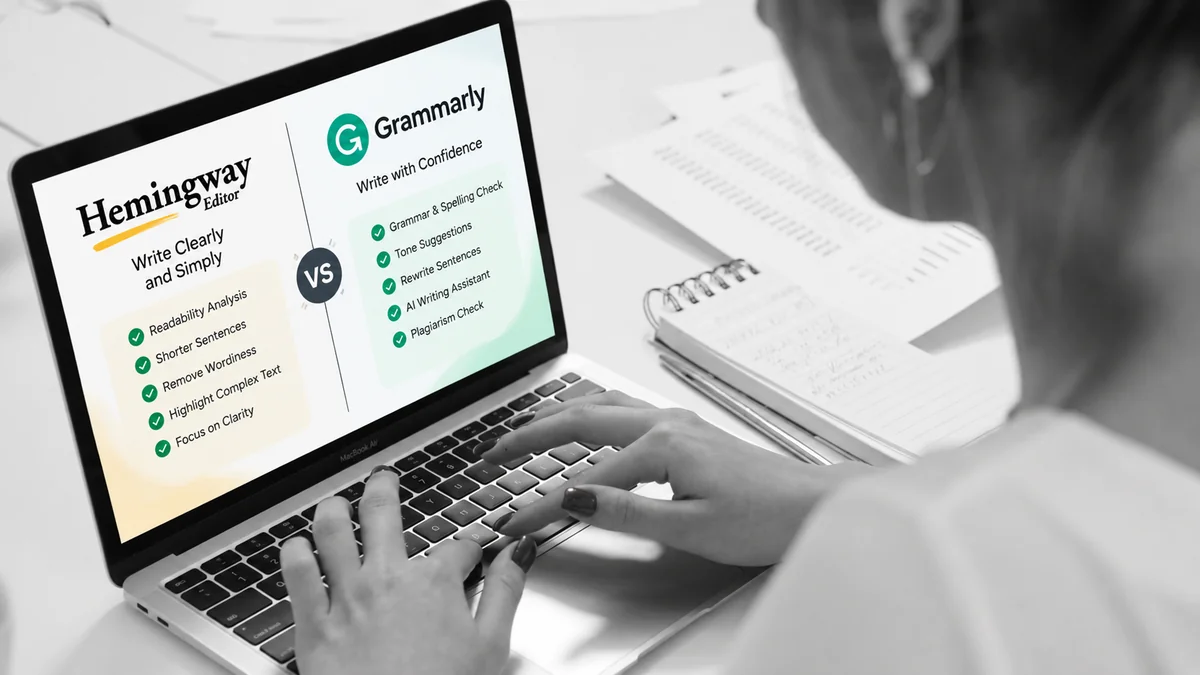
Good writing needs more than correct grammar.
It also needs clarity.
It needs rhythm, structure, and the right level of detail.
That is where writing tools can help.
Two popular options are Grammarly and Hemingway Editor.
Both can improve your writing.
However, they approach editing differently.
Grammarly focuses heavily on correctness and communication.
Hemingway focuses heavily on readability and clear writing.
That difference matters.
A blog writer may need both for different stages.
A student may need grammar support.
A novelist may care more about sentence flow.
A business writer may need tone and clarity.
So, which tool should you use?
The answer depends on what you want to improve.
Let’s compare Grammarly and Hemingway Editor in detail.
Grammarly vs Hemingway Editor at a Glance
| Feature | Grammarly | Hemingway Editor |
| Grammar checking | Yes | Yes with Editor Plus |
| Spelling | Yes | Yes with Editor Plus |
| Readability | Yes | Core feature |
| Sentence complexity | Yes | Strong focus |
| Wordiness | Yes | Strong focus |
| Passive voice | Yes | Strong focus |
| Tone suggestions | Yes | Yes with Editor Plus |
| AI rewriting | Yes | Yes with Editor Plus |
| AI writing | Yes | Limited compared with Grammarly |
| Plagiarism checking | Yes with Pro | Not a core feature |
| Readability grade | Yes | Yes |
| Browser-based editing | Yes | Yes |
| Cross-app integration | Extensive | More focused |
| Distraction-free writing | Available through Grammarly Docs | Yes |
| Best known for | Writing assistance | Readability and concise writing |
Feature availability can change between plans. Always check the current product pages before purchasing. Grammarly currently lists Free and Pro plans, while Hemingway offers Editor Plus tiers.
What Is Grammarly?
Grammarly is an AI-powered writing assistant.
It checks writing while you work.
It can identify grammar and spelling problems.
It also provides suggestions for clarity and tone.
Its current AI tools go beyond basic proofreading.
Grammarly can help brainstorm ideas and create drafts.
It can also rewrite existing sentences.
You can adjust tone, length, and formality.
Grammarly also offers tools for plagiarism and AI-generated text detection.
One major advantage is where Grammarly works.
Grammarly says it works across more than one million apps and websites.
That makes it useful for people who write everywhere.
You can use it while writing emails.
You can also use it in documents and web applications.
What Is Hemingway Editor?
Hemingway Editor takes a different approach.
Its central idea is simple.
Make your writing easier to understand.
The editor analyzes your writing’s readability.
It highlights sentences that may be difficult to read.
Yellow highlights indicate difficult sentences.
Red highlights indicate very difficult sentences.
It also identifies wordiness and other weakening language.
Hemingway also provides a readability grade.
It displays statistics such as word count and reading time.
This makes it useful for writers who want clearer prose.
The tool has also evolved.
Hemingway Editor Plus now includes advanced grammar tools.
It also includes AI-powered rewriting and style adjustments.
Grammarly vs Hemingway: Grammar Checking
Grammar is one of Grammarly’s core strengths.
It checks grammar, spelling, punctuation, and word usage.
It can also suggest changes for clarity and conciseness.
Hemingway’s current version is different from older versions.
Editor Plus now includes an advanced grammar checker.
This means the old claim that Hemingway “doesn’t check grammar” is outdated.
However, grammar is still not the main reason people use Hemingway.
Its editing experience remains centered around readability.
That distinction is important.
Grammarly vs Hemingway: Readability
This is where Hemingway becomes especially interesting.
Readability is central to the Hemingway experience.
The editor calculates a readability score.
It also highlights difficult sentences.
You can then shorten or restructure those sentences.
Hemingway recommends treating these scores as guidance.
You do not need to eliminate every highlighted sentence.
That is an important point.
A long sentence is not automatically a bad sentence.
Some long sentences create rhythm.
Others explain complicated ideas.
Good editing requires judgment.
Hemingway simply helps you find possible problem areas.
Which Tool Is Better for Simple Writing?
It depends on what you mean by simple.
If you mean grammatically correct, Grammarly can help.
If you mean shorter and easier to follow, Hemingway can help.
For example:
The implementation of the strategy resulted in an improvement in performance.
You could simplify it to:
The strategy improved performance.
Hemingway’s approach encourages this kind of editing.
Grammarly can also suggest clearer phrasing.
The difference lies in the editing experience.
Hemingway makes readability highly visible.
Grammarly provides broader writing assistance.
Grammarly vs Hemingway for AI Writing
This is another major difference in 2026.
Grammarly now has extensive generative AI capabilities.
Its tools can help with brainstorming, drafting, rewriting, and polishing.
Its current Pro plan includes 2,000 AI prompts per member each month.
The free plan includes 100 AI prompts.
Hemingway Editor Plus also uses AI.
It can rewrite difficult sentences.
It can simplify wordy passages.
It can adjust tone, length, and style.
It can also help with grammar corrections.
However, the tools approach AI differently.
Grammarly treats AI as part of a broader writing assistant.
Hemingway uses AI heavily around editing and rewriting.
That distinction can matter to writers.
Hemingway’s New Approach to Weak Writing
This is one section that can differentiate our article.
Hemingway recently updated its weak-language detection.
The August 2026 update added several types of weakeners.
It also improved passive-voice detection.
Its adverb detection became more selective.
That change is worth understanding.
Not every adverb weakens writing.
For example:
The road was partially blocked.
Removing “partially” changes the meaning.
Hemingway now recognizes this distinction more carefully.
This makes its current editing approach more nuanced.
Grammarly vs Hemingway for Blog Writing
Blog writers often need several types of editing.
They need correct grammar.
They also need readable sentences.
They need strong headings.
They need concise paragraphs.
They need consistent tone.
They also need content that works for their audience.
Grammarly can help across several of these areas.
Hemingway can help identify dense or wordy sections.
A practical workflow can therefore involve both.
Step 1: Write your first draft
Focus on ideas.
Don’t obsess over every sentence.
Step 2: Improve the structure
Add headings and remove repetition.
Step 3: Run the draft through Hemingway
Look for difficult sentences.
Check wordy sections.
Review passive constructions.
Check the readability level.
Step 4: Review the changes manually
Do not accept every suggestion automatically.
Keep sentences that work well.
Step 5: Use Grammarly for the final polish
Check grammar and spelling.
Review tone and clarity.
Look for awkward wording.
This workflow uses each tool for a different purpose.
Grammarly vs Hemingway for Academic Writing
Academic writing has different requirements.
Some academic sentences need technical language.
Some concepts also require longer explanations.
Therefore, readability scores should not become the only goal.
Hemingway itself allows Editor Plus users to adjust their target reading level.
Its options include accessible, default, and technical settings.
Grammarly can help with grammar and clarity.
It can also provide writing suggestions.
However, neither tool should replace academic judgment.
Always verify citations and factual claims separately.
Grammarly vs Hemingway for Creative Writing
Creative writing is different again.
You may intentionally use long sentences.
You may also use fragments.
You may repeat certain words for effect.
You may break conventional grammar rules.
That means editing tools need careful handling.
Hemingway can help identify dense passages.
But you should decide whether those passages need changing.
Grammarly can also suggest stylistic changes.
Again, the suggestion is not automatically the correct choice.
Your voice should remain the final authority.
Grammarly vs Hemingway Pricing
Pricing changes frequently.
So this section should be updated whenever the article is reviewed.
At the time of our research, Grammarly lists:
- Free: $0
- Pro: $12 per member monthly when billed annually
- Pro monthly billing: $30 per member monthly
Grammarly Pro includes advanced rewriting, tone adjustments, and 2,000 AI prompts monthly.
Hemingway Editor Plus currently lists several paid options.
Its Individual 5K plan costs $100 annually.
That equals about $8.33 per month.
The Individual 10K plan costs $150 annually.
That equals $12.50 per month.
Monthly billing starts at $10 for the 5K plan.
Prices can vary by region and billing method.
Check the official pricing pages before subscribing.
Can You Use Grammarly and Hemingway Together?
Yes.
In fact, their differences make them useful together.
Think of them as two editing passes.
Hemingway asks:
Can the reader understand this easily?
Grammarly asks:
Is this written correctly and clearly?
Those questions overlap.
But they are not identical.
A useful workflow is:
Draft → Hemingway → Manual editing → Grammarly → Final review
This approach also prevents over-editing.
You remain in control of the final text.
Grammarly vs Hemingway: Which One Should You Use?
There is no single answer for every writer.
Your choice depends on your main problem.
Choose Grammarly if you need:
- Grammar checking
- Spelling corrections
- Tone suggestions
- Sentence rewrites
- AI writing assistance
- Cross-app writing support
- Plagiarism checking
- AI text detection
Grammarly currently supports writing across many applications and websites.
Choose Hemingway if you need:
- Readability analysis
- Simpler sentences
- Less wordy writing
- Clearer prose
- Readability grade tracking
- Stronger attention to weak language
- Focused editing
Hemingway’s core editor remains strongly focused on clarity and readability.
Use both if you want:
A broader editing workflow.
Hemingway can help you simplify the draft.
Grammarly can then help polish the final version.
That combination can work well for blog writers.
The Biggest Difference Between Grammarly and Hemingway
The biggest difference is not their feature count.
It is their editing philosophy.
Grammarly acts more like a writing assistant.
Hemingway acts more like a readability editor.
Grammarly gives you broader writing support.
Hemingway makes difficult writing easier to notice.
Modern versions blur that difference.
Hemingway now includes grammar and AI features.
Grammarly also includes readability and conciseness tools.
Still, their interfaces and primary workflows remain different.
Final Thoughts
Grammarly and Hemingway are not identical tools.
They overlap in several areas.
Their strongest use cases remain different.
Grammarly provides broad writing assistance.
Hemingway puts greater emphasis on readable prose.
For many writers, the choice does not need to be either-or.
You can use Hemingway during editing.
You can use Grammarly during proofreading.
Then you can perform one final manual review.
That last step matters most.
A writing tool can suggest changes.
You decide which changes improve your writing.
Frequently Asked Questions
Is Hemingway Editor better than Grammarly?
They focus on different aspects of writing.
Hemingway emphasizes readability and concise prose.
Grammarly offers broader grammar and AI writing assistance.
Can Hemingway Editor check grammar?
Yes.
Hemingway Editor Plus now includes advanced grammar checking.
Can Grammarly check readability?
Yes.
Grammarly provides readability scores and conciseness suggestions.
Can I use Grammarly and Hemingway together?
Yes.
Many writers can use them as separate editing passes.
Is Hemingway Editor good for blog writing?
Yes.
Its readability analysis can help bloggers simplify difficult passages.
Is Grammarly good for blog writing?
Yes.
It can help with grammar, clarity, tone, rewriting, and AI-assisted drafting.
Does Hemingway Editor use AI?
Yes.
Editor Plus includes AI-powered rewriting and editing features.
Does Grammarly use AI?
Yes.
Grammarly offers AI drafting, rewriting, paraphrasing, and other AI features.
Which tool should beginners use?
Start with the problem you want to solve.
Choose grammar support for grammar problems.
Choose readability analysis for difficult or wordy writing.
You can also use both during different editing stages.